
Lancaster County Court Docket Basics
A docket is the court's running case register. In Lancaster County, a docket may show the docket number, court level, case caption, parties, filing or complaint date, issuing authority or judge, hearing events, orders, financial entries, and final disposition if one has been entered. It is a case map. It is not always the full case file. A motion may appear as a docket entry, but the motion document itself may need to be requested from the Prothonotary, Clerk of Courts, Register of Wills, or another filing office.
The docket source depends on the court. The Lancaster County Court of Common Pleas is the Second Judicial District and handles major civil, criminal, family, juvenile, and Orphans' Court matters. Magisterial District Courts handle traffic cases, minor criminal cases, landlord-tenant disputes, small civil claims up to $12,000, and early criminal proceedings. Both court levels can appear in the Pennsylvania UJS Case Search, but the data fields and event names can differ by case type.
The Pennsylvania UJS public case search is the main online entry point for Lancaster County court dockets.
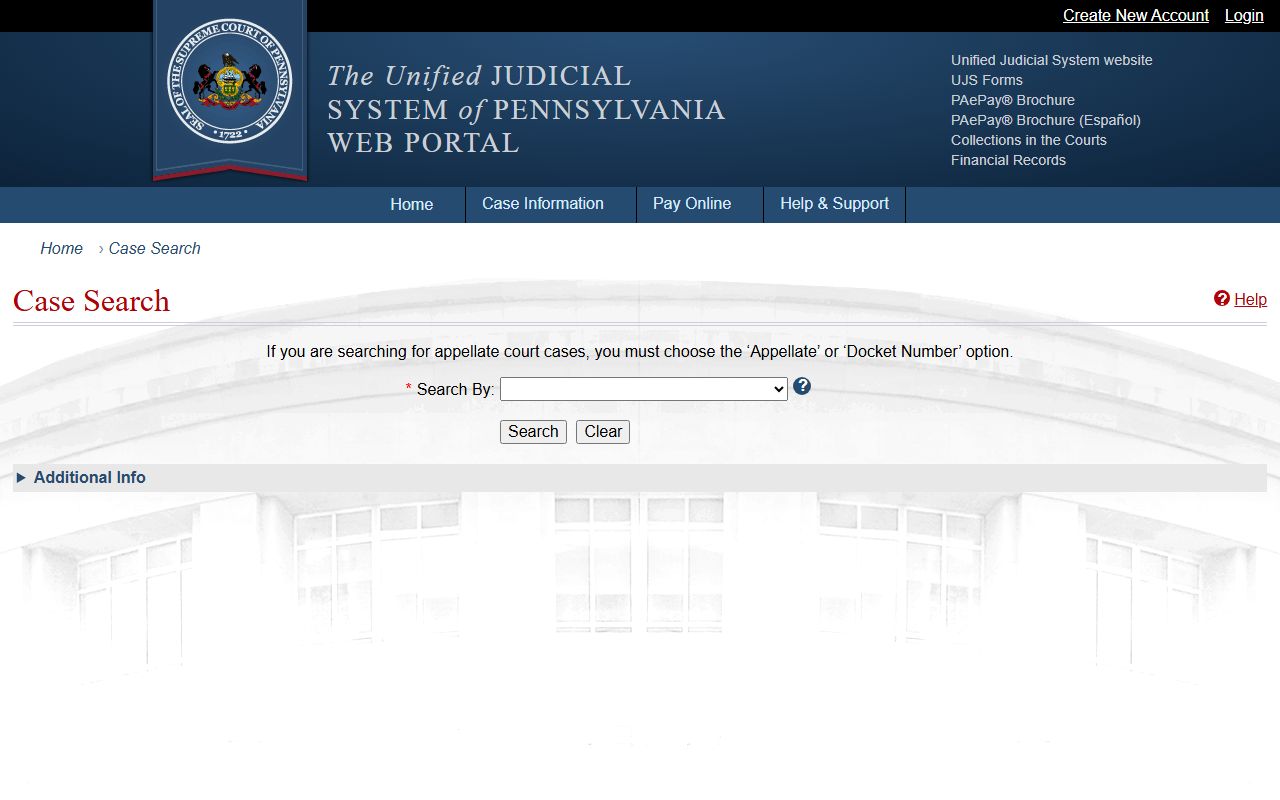
That portal is useful because it can connect a Lancaster County search to both Common Pleas docket sheets and Magisterial District Court docket sheets.
Find Lancaster County Dockets Online
The strongest search path is to start with UJS, choose the right court category, and then use the most exact identifier available. A case number is best when it is known. For criminal matters, an OTN, police incident number, complaint number, or SID can help distinguish people with the same name. For civil or family matters, a participant or organization name can work, but common surnames may require filters and careful review.
Use the county public records hub as a second route when a civil or specialty record is not easy to isolate in UJS. The county hub links civil and criminal court records, marriage and probate searches, and the prison inmate search. Civil records also route through the Prothonotary's CountySuite portal, while probate and marriage matters use the Register of Wills / Orphans' Court Paperless system.
- Open UJS Case Search and choose the court level that fits the case, such as Common Pleas or Magisterial District Court.
- Enter the case number, participant name, organization name, OTN, police incident number, complaint number, or SID if available.
- Set Lancaster as the county when the portal offers a county filter, then review matching docket sheets.
- Check the docket header first. Confirm the court, caption, filing date, status, and judge or issuing authority.
- Read the entries in date order and contact the filing office if a certified copy or a document image is needed.
Lancaster County Docket Search Fields
UJS and PAeDocket support several search paths. Not every field applies to every case type. A person search may be broad, while a docket number or OTN search is more exact. For Magisterial District Court records, the court office and case type filters can matter because Lancaster County has multiple MDJ offices with local jurisdiction.
| Field Label | Type | Required | Options / Format Notes |
|---|---|---|---|
| Search tabs | tab or radio | Unspecified | Appellate Courts, Common Pleas, Magisterial District Courts, and Philadelphia Municipal Court are typical UJS categories. |
| Participant Name | text | No | Name-based lookup for a person involved in the case. |
| Organization Name | text | No | Business, agency, or other organization party lookup. |
| Case Number | text | No | Exact docket or case number search. |
| OTN | text | No | Offense Tracking Number for criminal matters. |
| Police Incident / Complaint Number | text | No | Supported by UJS and PAeDocket search language. |
| SID | text | No | State ID number, useful in some criminal searches. |
| County | dropdown | No | Select Lancaster for local cases when the field is shown. |
| Court Type | dropdown | No | Choose Common Pleas or Magisterial District Court depending on the matter. |
Note: Recent entries made in filing offices may not appear online right away, so check with the filing office for urgent court-date questions.
Sample Lancaster County Docket Fields
A public docket sheet is built from a set of repeated fields. The exact labels vary by civil, criminal, traffic, family, and Magisterial District Court case type, but the same core ideas recur. The header identifies the case. The parties and attorneys identify who is involved. The entries show what has happened and what may happen next.
| Field | What It Shows |
|---|---|
| Docket number | The unique case identifier, such as a Common Pleas CP docket or an MJ-style district court docket. |
| Court and case type | The court level, county, office, and civil, criminal, summary, traffic, or other case category. |
| Caption and parties | Names of plaintiffs, defendants, petitioners, respondents, or criminal defendants when public. |
| Filing or complaint date | The date the case or complaint entered the court system. |
| Judge or issuing authority | The Common Pleas judge or Magisterial District Judge connected to the matter when shown. |
| Docket entries | Complaints, summonses, warrants, continuances, orders, pleas, sentencing, payments, and other events. |
| Financial data | Fines, costs, restitution, payment plans, and balances where public and payable. |
| Disposition | The outcome, such as judgment, guilty plea, dismissal, sentence, or other final action if entered. |
Lancaster County Courts With Dockets
Common Pleas docket sheets are used for the county's major trial-court work. Civil complaints, judgments, liens, divorce filings, custody petitions, PFA matters, criminal filings, juvenile administrative filings, bail, motions, appeals, sentences, and Orphans' Court matters can all create docket activity, but the public view may differ by subject. The Prothonotary is the civil-side filing office. The Clerk of Courts handles criminal and juvenile Court of Common Pleas records. The Register of Wills / Clerk of Orphans' Court handles estates, guardianships, adoptions, and marriage licenses.
Magisterial District Court docket sheets are often the first public trail for lower-level matters. Lancaster County MDJs hear traffic citations, non-traffic summary cases, landlord-tenant cases, small civil claims, and preliminary criminal proceedings. A case can move from MDJ to Common Pleas through preliminary hearing, summary appeal, or other appeal routes, so the reader may need to check more than one docket level.
- Court of Common Pleas: major civil, criminal, family, juvenile, and Orphans' Court case dockets.
- Magisterial District Courts: traffic, summary, landlord-tenant, small civil, and preliminary criminal dockets.
- Appellate courts: appeals to Pennsylvania's Superior Court, Commonwealth Court, or Supreme Court can create separate appellate docket entries.
- Federal courts: federal cases tied to Lancaster County residents are separate and use PACER or CM/ECF, not the county docket system.
Lancaster County Dockets vs Records
The docket is the index and timeline. The full case record is broader. A full record may include pleadings, exhibits, signed orders, original filings, sealed envelopes, confidential forms, or certified copies held by the filing office. UJS docket review is free, but it should not be treated as a complete substitute for a certified copy from the office that keeps the file.
| Point | Docket Sheet | Full Case Record |
|---|---|---|
| Format | Chronological event list and case summary. | Documents, filings, orders, and office-held case materials. |
| Best use | Tracking status, dates, parties, charges, and disposition. | Legal review, certified proof, document text, and full filing history. |
| Access route | Often searched through UJS or PAeDocket. | Requested from the Prothonotary, Clerk of Courts, Register of Wills, or other custodian. |
| Limits | May lag or omit restricted data. | May require fees, redaction, ID, or court permission. |
The Pennsylvania courts docket sheet explanation warns that docket sheet entries may lag recent filing-office work.
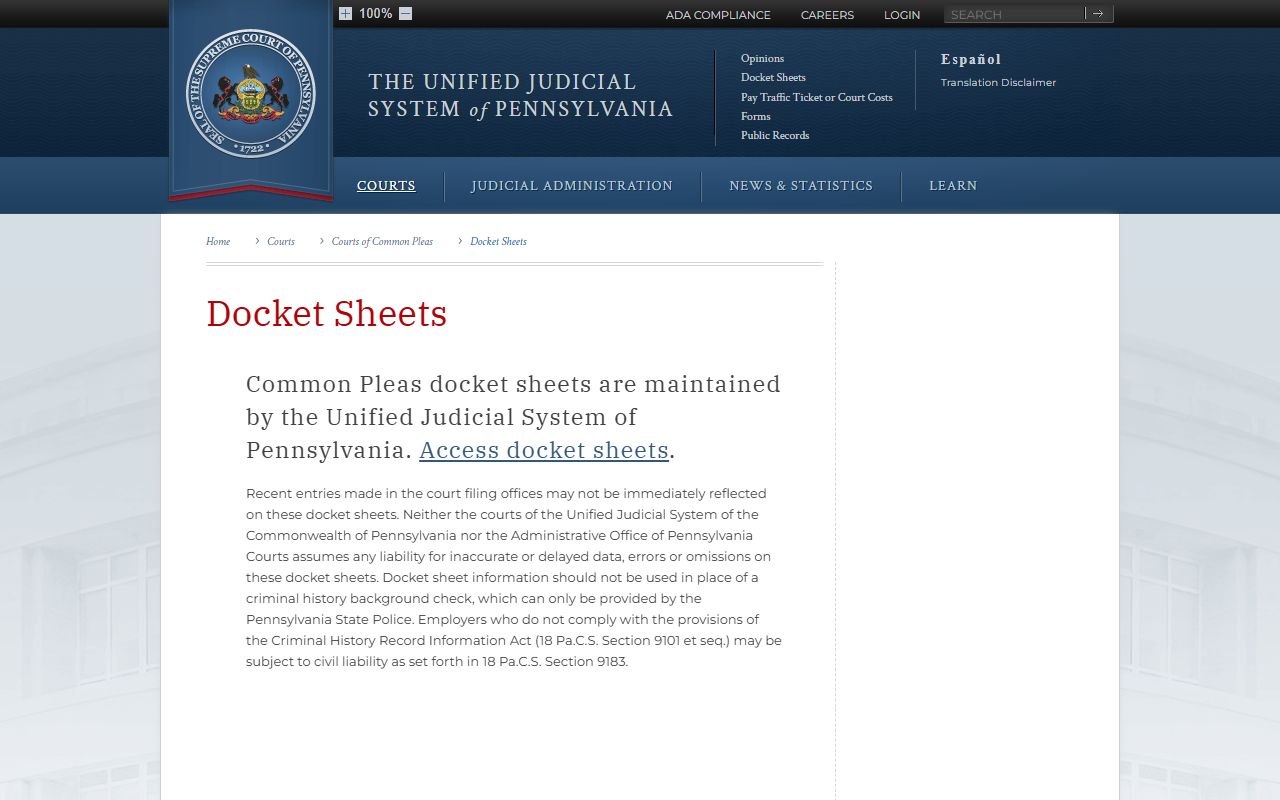
That warning matters in Lancaster County when a hearing, payment, warrant, or appeal deadline is close.
Read Lancaster County Dockets
Start at the header. Confirm the docket number, case caption, court, and county before relying on any entry. Next, check the case type and status. A criminal docket may list the OTN, complaint number, arresting agency, charges, grade, plea, disposition, sentence, and costs. A civil docket may list the complaint, service, praecipe, motion, order, judgment, or lien activity. A probate docket may show the estate number, petition type, grant of letters, fiduciary, and available documents if the Paperless system supports purchase.
Then read the entries in order. Do not stop at the newest line without checking whether the case has been appealed, reopened, stayed, continued, paid, or sent to another court level. In Pennsylvania terms, a disposition is the outcome of a charge or case. A continuance is a postponement. A judgment is a final civil decision or money award. A sentence is the court penalty after conviction or plea.
- OTN
- Offense Tracking Number used in Pennsylvania criminal matters.
- Disposition
- The recorded outcome of a charge or case.
- Continuance
- A postponement that moves a hearing or deadline.
- Judgment
- A final civil decision, often tied to money or property rights.
- Summary offense
- A lower-level Pennsylvania offense often heard by a Magisterial District Judge.
Lancaster County PAeDocket Access
The statewide court portal also advertises the free PAeDocket app. The app search language includes case number, participant name, organization name, offense tracking number, police incident or complaint number, and SID. That makes it useful when a Lancaster County user needs a mobile way to recheck a docket after a court notice, traffic citation, or criminal filing.
PAeDocket does not turn a docket into a certified court record. It is still a public docket access tool. If a court, employer, school, agency, lender, or licensing board asks for a certified copy, the request must go to the correct filing office. Criminal Common Pleas copies are handled through the Clerk of Courts. Civil and family copies are handled by the Prothonotary. Probate and Orphans' Court copies go through the Register of Wills / Clerk of Orphans' Court.
The UJS portal and PAeDocket information identifies mobile docket search options alongside the web case search.
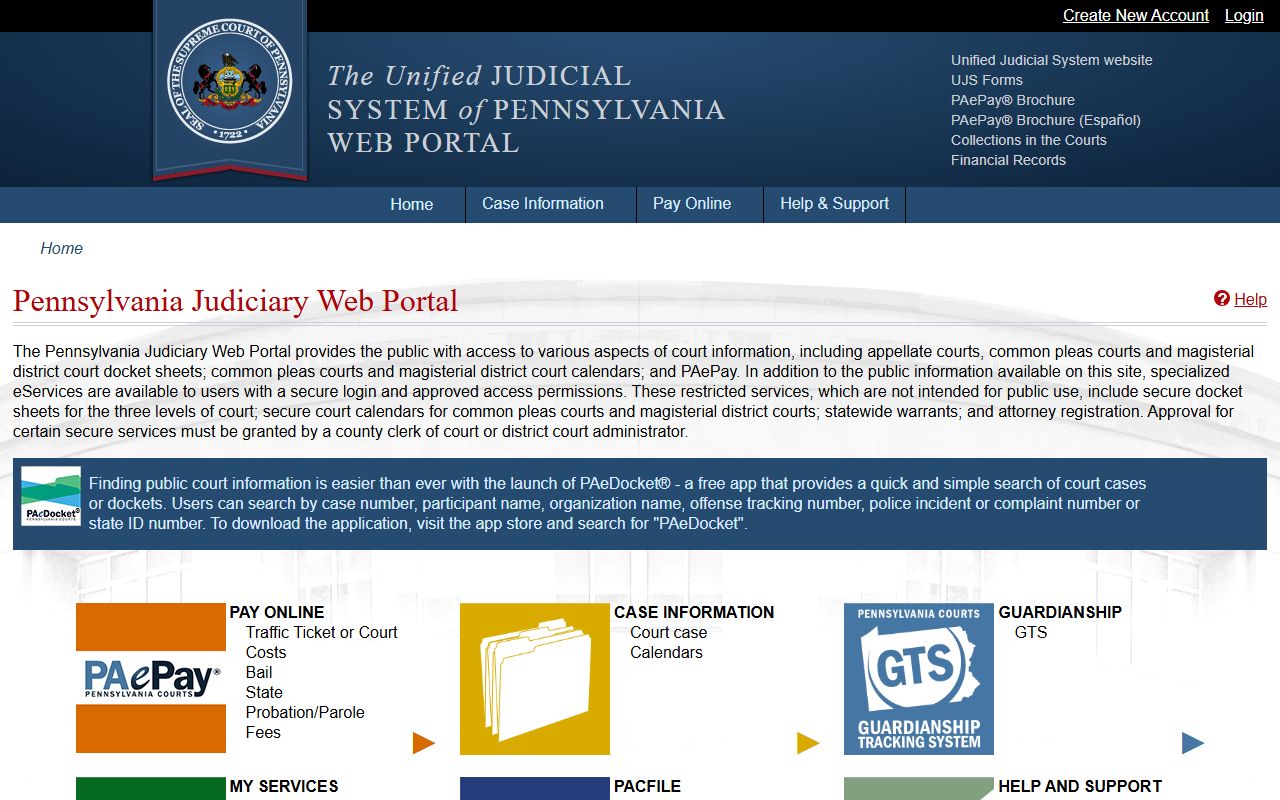
For Lancaster County docket work, the app is best treated as a second access point to the same public case information.
Restricted Lancaster County Dockets
Some Lancaster County docket searches return no case, less detail, or a redacted caption because the public view is limited. Juvenile court files are controlled by 42 Pa.C.S. Section 6307 and are not the same as adult criminal dockets. Adoption files are restricted through Orphans' Court practice. Sealed, expunged, pending-expungement, and limited-access criminal matters may be omitted from public UJS or PAePay results. Mental health treatment details and confidential personal information are not ordinary public docket material.
Financial searches have their own limits. PAePay only displays cases with payable balances and public status. The research notes that payment through PAePay does not guarantee quick removal of a warrant or license suspension consequence. For a time-sensitive warrant, hearing, or payment issue, use the docket to identify the court and then contact the issuing court, filing office, or counsel.
Note: A missing online docket does not prove that no case exists, especially for sealed, juvenile, limited-access, or very recent filings.